Skip to content
11y999 Casino / Slots
LIVE LOBBY

11y999 — Your Account, Your Wallet, Your Game

Fund your account through JazzCash or Easypaisa and move straight into the lobby — slots from PG Soft, live tables from Microgaming, and cricket-led sportsbook markets all load from one place. Access depends on local law and is available where your region permits.

JazzCash Easypaisa Raast
Browse games
CONTENT / 01

Browse Crash Drift, Table Games and More

The lobby organises everything into clear rows so you can move between categories without losing your place. Crash Drift sits alongside Table Games Suite and Prize Drop Pakistan — three very different play styles, all reachable from the same screen. Slots from CQ9 and Bigtime Gaming load on mid-range Android without extra steps; live dealer tables from Microgaming stream at the quality your connection supports.

GAME NETWORK
PlayStar
Microgaming
CQ9
Bigtime Gaming
Spadegaming
PG Soft
CONTENT / 04

11y999 lobby studios

The 11y999 lobby carries content from PlayStar, Microgaming, CQ9, Bigtime Gaming, Spadegaming, PG Soft. To check the studio, rules or features of one specific game, open that game card or the published information panel.

  • PlayStar

  • Microgaming

  • CQ9

  • Bigtime Gaming

  • Spadegaming

  • PG Soft

DISCOVER / 01

Choose your game

Full lobby
FEATURE BRIEF / 05

Explore Roulette Royal Night and Prize Drop Pakistan

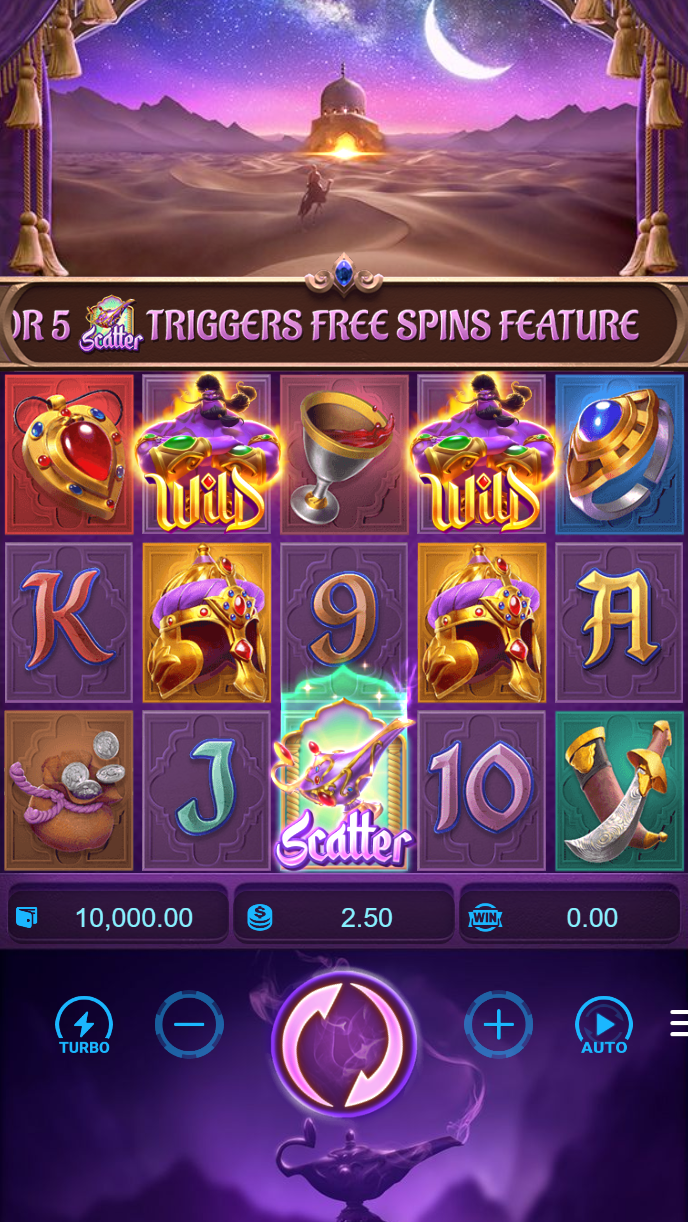
Roulette Royal Night is one of the live table options in the lobby — a standard European roulette format streamed from a Microgaming studio environment. The bet layout and chip denominations are shown on screen before you place anything. Prize Drop Pakistan is a slot title with a drop-prize mechanic built into its feature round; the game screen itself shows what triggers the mechanic and what the prize pool contains at any given moment — we do not add external promises on top of what the studio publishes. Football Goalzone is in the sports-adjacent slots section and uses a goal-round bonus mechanic triggered by scatter symbols.

Game feature guide
  • Roulette Royal Night

    A live dealer roulette table from Microgaming's studio network. The full bet layout, minimum and maximum chip values, and table history are displayed on screen before you place any stake. Available in the live casino section of the lobby.

  • Prize Drop Pakistan

    A slot title with a drop-prize feature round. The game screen shows the current prize pool and trigger conditions directly — no external claims are added. Studio-published RTP data appears on the game info panel where the provider makes it available.

  • Crash Drift

    A multiplier crash game where you watch the curve rise in real time and tap to collect before it resets. The cashout control is always on screen. Session history is logged in your account so you can review each round result after it closes.

MOBILE ACCOUNT ACCESS

Your Wallet Balance Stays With You on Mobile

The lobby is built for the screen sizes and connection speeds that are common across Pakistan. On a mid-range Android, slot titles from PG Soft and CQ9 load without needing a separate application — the browser session carries your account state, wallet balance and transaction history in one place. Switch between the slots lobby and the sportsbook tab and your balance does not reset; it is tied to your account, not to the page you are on. If you start a session on your phone and return later on a different device, the account picks up where you left off once you log in again.

  • Balance Always Visible

    Your account wallet balance appears at the top of every lobby page, on both mobile and desktop. You can see what is available before you open any game or place any bet — no need to navigate away to a separate wallet screen.

  • Session Continuity

    Log in on your phone, switch to a laptop, and the account state carries over. Transaction history, wallet balance and game access all follow your login — not the device you started on. Your progress and records stay in one place.

  • Transaction Log on Screen

    Every deposit and withdrawal is recorded in your account dashboard. The log shows the amount, method used — JazzCash, Easypaisa or Raast — and status. Check it any time without contacting the support team for basic balance queries.

CONTENT / 03

Your Wallet Balance Stays With You on Mobile

The lobby is built for the screen sizes and connection speeds that are common across Pakistan. On a mid-range Android, slot titles from PG Soft and CQ9 load without needing a separate application — the browser session carries your account state, wallet balance and transaction history in one place. Switch between the slots lobby and the sportsbook tab and your balance does not reset; it is tied to your account, not to the page you are on. If you start a session on your phone and return later on a different device, the account picks up where you left off once you log in again.

  • Balance Always Visible

    Your account wallet balance appears at the top of every lobby page, on both mobile and desktop. You can see what is available before you open any game or place any bet — no need to navigate away to a separate wallet screen.

  • Session Continuity

    Log in on your phone, switch to a laptop, and the account state carries over. Transaction history, wallet balance and game access all follow your login — not the device you started on. Your progress and records stay in one place.

  • Transaction Log on Screen

    Every deposit and withdrawal is recorded in your account dashboard. The log shows the amount, method used — JazzCash, Easypaisa or Raast — and status. Check it any time without contacting the support team for basic balance queries.

ACCOUNT DASHBOARD

Check What Is Running in Your Account

Any active account offers are shown in your dashboard after you log in — that is where the current state lives, not on this page. We do not publish a schedule for when the board changes; the dashboard reflects whatever is active at the moment you check it. If a slot title has a bonus round mechanic, that mechanic is part of the game design and works the same way every time you trigger it — the game screen explains the conditions.

  • Dashboard Shows Current State

    Log in and open the account section to see what is active on your profile. The dashboard reflects your real-time status — wallet balance, any active account activity and recent transaction records — without needing to contact support for a snapshot.

  • Game Mechanics Are In-Game

    Bonus rounds, prize mechanics and feature triggers are part of the game design from the studio. Each title's information panel — visible before and during play — explains how mechanics work. We do not add claims on top of what the studio publishes.

  • Transaction Records You Can Check

    Every deposit, withdrawal and wallet movement is logged in your account history. Filter by date or method — JazzCash, Easypaisa, Raast — and view the status of each transaction. The record is yours to check any time you need it.

Login
LOCAL PAYMENTS

Fund Your Account via JazzCash or Easypaisa

The deposit path at 11y999 is built around the wallets Pakistanis already use. Open the deposit section in your account, select JazzCash or Easypaisa, enter the amount that falls within the limits shown on that screen, and follow the steps your wallet app presents — the flow matches what you already know from sending money day to day. Raast and Bank Transfer are also available for those who prefer a direct bank route.

  • JazzCash

    Select JazzCash in the deposit screen, enter the amount within the limits shown, and follow the confirmation steps in your JazzCash app. The flow is the same as a standard JazzCash transfer. Once confirmed by JazzCash, the amount appears in your account wallet.

  • Easypaisa

    Choose Easypaisa from the payment options, enter the amount, and authorise through your Easypaisa account. The deposit screen shows the applicable limits before you commit. Easypaisa confirmation triggers the wallet credit on the platform side.

  • Raast

    Raast is available for direct bank-to-account transfers. Enter your details as prompted in the deposit section and complete the transfer through your bank's Raast-enabled interface. Transaction status updates in your account history once the transfer is received.

  • Bank Transfer

    Standard bank transfer is supported for deposits and withdrawals. The account section shows the transfer details and reference requirements. Use the reference exactly as shown so the deposit is matched to your account without delay.

JazzCash Pakistan payment context
Easypaisa Pakistan payment context
Raast Pakistan payment context
ACCOUNT PATH

From Account Open to First Deposit in Four Steps

The account path is straightforward. Step one: open the account registration page and fill in the fields shown — name, contact details and any verification information required by the account system. Step two: verify your account using the method prompted after registration; the screen will tell you what is needed and where to upload or confirm it. Step three: go to the deposit section, choose JazzCash or Easypaisa, and enter the amount within the limits displayed on that screen. Step four: once the deposit confirms, your wallet balance updates and the lobby is open — slots, live tables and sportsbook are all accessible from the same account session.

  1. Open Your Account

    Go to the registration page and complete the fields as shown. The form asks for the information needed to create and verify your account. Follow the instructions on screen — the system guides you through each required field before you proceed.

  2. Verify Your Details

    After registration, the account prompts you to verify your identity or contact details depending on the requirements shown. Complete the steps as instructed — verification unlocks the full deposit and withdrawal functions on your account.

  3. Make Your First Deposit

    Open the deposit section, select JazzCash or Easypaisa, and enter an amount within the limits displayed. Follow the steps in your payment app to authorise the transfer. The deposit reflects in your wallet once your payment provider confirms it.

  4. Enter the Lobby

    With your wallet funded, the full lobby is open. Slots, live dealer tables and sportsbook markets are all in the same account session. Your balance sits at the top of every page — tap any category to start browsing titles available in your region.

MEMBER DESK / 06

Offers, support and account controls

01

Game lobby

02

Support

TRUST / 03

How 11y999 Keeps Your Account Accountable

We want you to know what you are working with before you commit anything. Every game in the lobby shows its studio name on the card — PlayStar, Microgaming, CQ9, Bigtime Gaming, Spadegaming or PG Soft — so you are never opening a title without knowing who made it. Where a studio publishes RTP data, it appears on the game's own information panel; we do not manufacture percentages or add claims the studio has not made.

  • Studio Transparency

    Every game card in the lobby displays the studio name — PlayStar, Microgaming, CQ9, Bigtime Gaming, Spadegaming or PG Soft. RTP data appears only where the studio publishes it, on the in-game information panel. We do not add figures the provider has not supplied.

  • Transaction History

    Your full deposit and withdrawal history is logged in the account dashboard. Each entry shows the method used — JazzCash, Easypaisa, Raast or Bank Transfer — along with the amount and current status. Check it directly rather than relying on memory for any query.

  • Account Security

    Your account is protected by the credentials you set at registration. Do not share your login details with anyone. If you suspect your account has been accessed without your permission, update your password immediately through the account settings page.

  • Regional Availability

    Access to the lobby and payment options depends on local law and is available only in eligible regions. The registration step confirms availability for your region. Do not attempt to access the platform in regions where local law does not permit it.

Learn more →
TRUST / 03

Get Help With Your Account or Wallet

If something does not look right in your account — a deposit that has not reflected, a withdrawal showing an unexpected status, or a login issue — the support team is reachable through the contact options listed in the Help section of your account. Before you reach out, check the transaction history in your dashboard; many queries about payment status are answered there without needing a conversation. For wallet verification questions — JazzCash or Easypaisa linking, Raast transfer status — have your transaction reference ready when you contact support, as it speeds up the lookup on our side.

  • Wallet and Payment Queries

    For JazzCash, Easypaisa or Raast deposit and withdrawal questions, check your transaction history first — the status is shown there. If the status does not resolve your query, contact support with your transaction reference ready so the team can locate the record without back-and-forth.

  • Account Access Help

    Password resets, verification holds and login issues are handled through the account settings and login screens. Follow the on-screen steps first. If you cannot complete the process, reach out through the Help section — the support team can walk through the account recovery steps with you.

  • Lobby and Game Questions

    If a game fails to load or a live table drops during a session, note the title name and studio. Each game's in-game information panel shows mechanics and RTP data where the studio provides it. For unresolved issues, contact support via the Help section with the game name and session time.

Learn more →
PLAYER INDEX / 07

Terms You Will See on the Home Page

Some words and labels on the home page and in the lobby may need a quick explanation — especially if this is your first time using a wallet-first gaming account. This section covers the terms that appear most often so you know exactly what you are looking at.

Player guide and glossary
  • What is an account wallet?

    Your account wallet is the balance held inside your 11y999 account. When you deposit via JazzCash or Easypaisa, the confirmed amount is added to this wallet. When you place a stake, it is deducted from the wallet. When a game pays out, the amount won is added straight to the wallet. You can check your wallet balance at the top of every lobby page after logging in.

  • What does 'lobby' mean on this site?

    The lobby is the main page you land on after logging in. It shows all available game categories — slots, live casino tables, crash games and the sportsbook — organised into rows. You browse from the lobby to open any title or market. Your wallet balance and account menu are visible from the lobby without navigating away.

  • What is a bonus round in a slot game?

    A bonus round is a feature mechanic built into a slot title by its studio. It is typically triggered by a combination of scatter or special symbols during the base game. The bonus round may include feature spins, prize multipliers or a pick-style mechanic. The game's own information panel — visible before you play — explains what triggers the round and what it contains.

  • What does RTP mean and where do I find it?

    RTP stands for Return to Player — a percentage published by the game studio indicating the average return of the game over a large number of rounds. We do not manufacture or display RTP figures ourselves. Where a studio provides this data, it appears on the in-information panel. If no RTP is shown for a title, the studio has not published one for that game.

  • What is a crash game?

    A crash game is a multiplier-style title where a curve rises from 1x upward and you decide when to collect your stake multiplied by the current value. The curve can reset at any point. Crash Drift is the crash title available in the 11y999 lobby. Your session history for crash rounds is logged in your account so you can review the outcome of each round.

  • What is Raast?

    Raast is Pakistan's instant payment system, operated through the State Bank of Pakistan. It enables direct bank-to-bank transfers using a registered mobile number or IBAN. On 11y999, Raast is available as a deposit and withdrawal method alongside JazzCash and Easypaisa. The deposit screen shows the applicable limits and the steps to complete a Raast transfer.

  • What is a jackpot in a slot game?

    A jackpot is the top prize a slot title can pay, usually hit on rare symbol combinations or through a dedicated prize mechanic. It is a game mechanic defined by the studio, not a platform promise. Where a title has a jackpot mechanic, the conditions and prize structure are shown on the game's information screen inside the lobby.

LOBBY / 02

One mobile lobby, distinct game areas

Roulette Royal Night Live Roulette Royal Night Access → Prize Drop Pakistan Slots Prize Drop Pakistan Access → Football Goalzone Sports Football Goalzone Access → Crash Drift Slots Crash Drift Access → Mobile Account Access Slots Mobile Account Access Access → Table Games Suite Table Table Games Suite Access →
EXPLORE FURTHER / 04

Explore detailed guides

Local lobby check

QUICK ANSWERS

Frequently asked questions

These are the questions we see most often from people who have just landed on the home page — about payments, the lobby, account setup and what is available for Pakistan. If your question is not here, the Help section in your account is the next stop.

Read FAQ →
How do I deposit using JazzCash on 11y999?

Log in to your 11y999 account, open the deposit section and select JazzCash from the payment options. Enter an amount within the minimum and maximum limits shown on that screen. You will then be directed through the JazzCash authorisation steps — the same flow you use for any JazzCash transfer. Once JazzCash confirms the transaction, the amount appears in your account wallet. Your transaction history records the deposit with its status.

Can I use Easypaisa to withdraw from my account?

Yes, Easypaisa is available as a withdrawal method where your account and region are eligible. Go to the withdrawal section, select Easypaisa, enter the amount within the displayed limits, and follow the verification steps shown. The transaction is logged in your account history with a status that updates as the withdrawal is processed. Check the history screen rather than submitting duplicate requests if the status shows as pending.

Is the lobby available in my region of Pakistan?

Access to the 11y999 lobby depends on local law and is available where your region permits. The registration process confirms eligibility at the point of account creation. If you complete registration and your region is supported, the full lobby — slots, live casino and sportsbook — is available to your account. We do not make blanket availability claims for all areas; check the registration screen for region-specific confirmation.

Which game studios supply the titles in the lobby?

The lobby carries content from six studios: PlayStar, Microgaming, CQ9, Bigtime Gaming, Spadegaming and PG Soft. The studio name appears on each game card in the lobby. Microgaming covers live dealer tables; PG Soft and CQ9 supply the mobile-optimised slots and crash titles. Bigtime Gaming contributes high-cap slot mechanics. Spadegaming and PlayStar add further slot categories. The catalogue updates as studios release new content.

Where can I see my deposit and withdrawal history?

Your full transaction history is in the account dashboard — log in and navigate to the account or wallet section. Each transaction entry shows the payment method used, the amount, the date and the current status. JazzCash, Easypaisa and Raast transactions are all recorded there. If a transaction status is not what you expected, check the history first before contacting support — it is the most direct way to get a clear picture.

Does 11y999 have cricket and PSL betting?

The sportsbook section of the lobby includes cricket markets, covering PSL and international fixtures where available. Access depends on local law and your eligible region. The sportsbook tab is visible from the main lobby after you log in. We do not publish or fabricate odds on this page — the live odds and available fixtures are shown inside the sportsbook section and change as match schedules update.

What should I do if my deposit has not appeared in my wallet?

First, check the transaction history in your account dashboard — the deposit entry will show a status. If the status shows the deposit as confirmed by the payment provider but your wallet has not updated, contact support through the Help section in your account. Have your JazzCash, Easypaisa or Raast transaction reference ready. This reference allows the support team to locate the payment record without needing extra back-and-forth to identify your transaction.

Do I need a separate app to use JazzCash or Easypaisa for deposits?

You use your existing JazzCash or Easypaisa app to authorise the transfer — no separate download is required for the payment step itself. The 11y999 deposit screen initiates the transaction and hands off the authorisation to your wallet app. Once you confirm in JazzCash or Easypaisa, the deposit is processed and reflected in your 11y999 account wallet. The lobby and account pages work through your mobile browser without requiring a separate platform app.

READY WHEN YOU ARE

11y999 game lobby

Access may be available only where local law permits.

Register Login